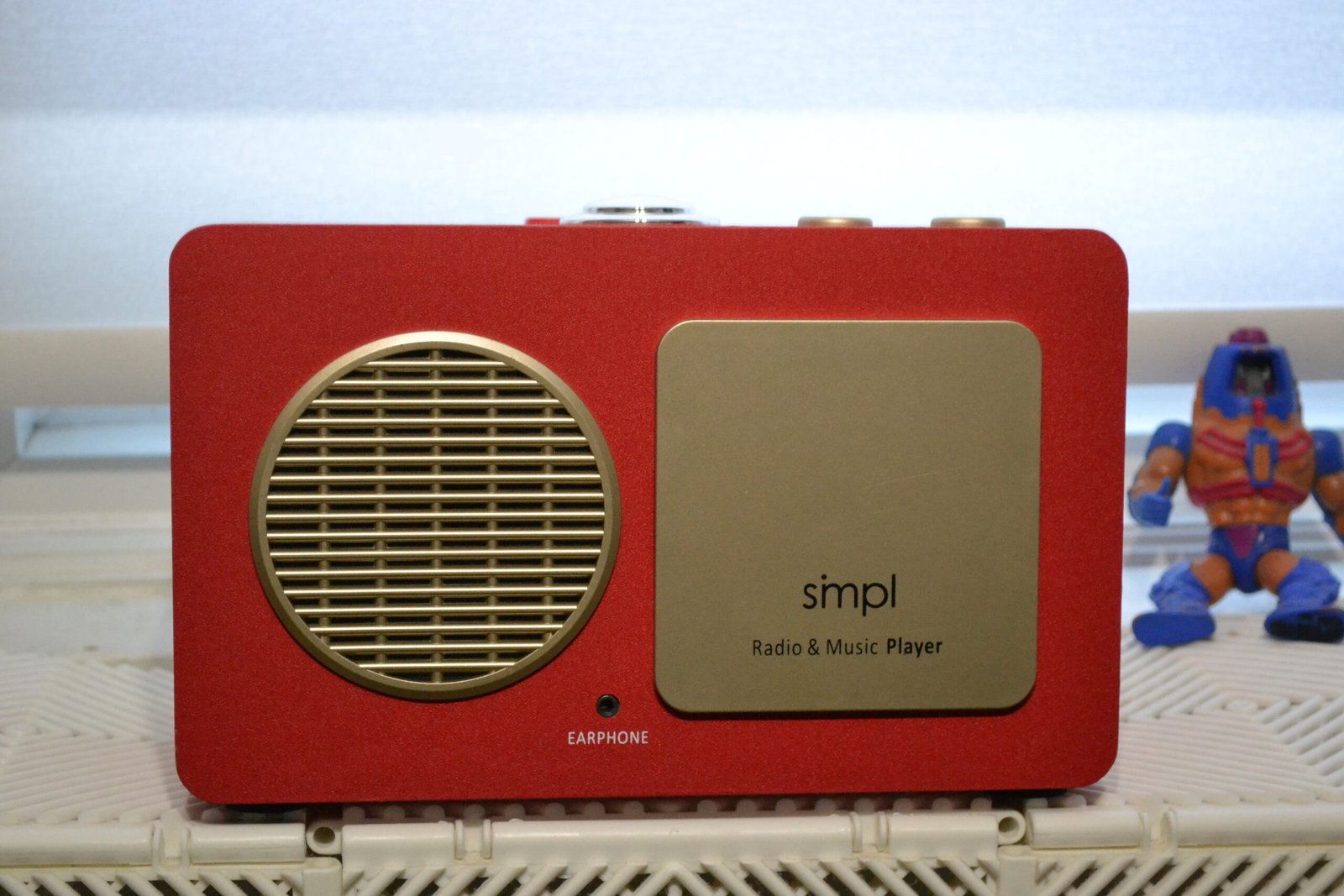
I found this bright red box in the Electronics section on the Goodwill website. It looked like a Fisher-Price toy, but something told me to Google it.
I bought it for $4.99.
It ends up being a medical-grade device designed for people with severe memory loss, retailing for nearly **$200**. Good fortune had me stumble upon a pretty awesome minimalist audio device.
The Specs:
- Product Name: SMPL One-Touch Radio & Music Player
- Original Target Audience: Seniors with Dementia / Alzheimer’s
- MSRP: ~$179.99 – $269.99
- My Price: $4.99 (Goodwill Auction)
- Format: USB Drive (MP3) & AM/FM Radio
- Distraction Level: 2% (Controls are physically hidden)
Why the SMPL Radio Design Works for Focus
The SMPL Radio is designed on the premise that options create anxiety.
- On the front: One giant “ON/OFF” button and a toggle for “Radio” or “Music.”
- That’s it.
There is no screen. There are no playlists. There is no Bluetooth pairing mode to fail.
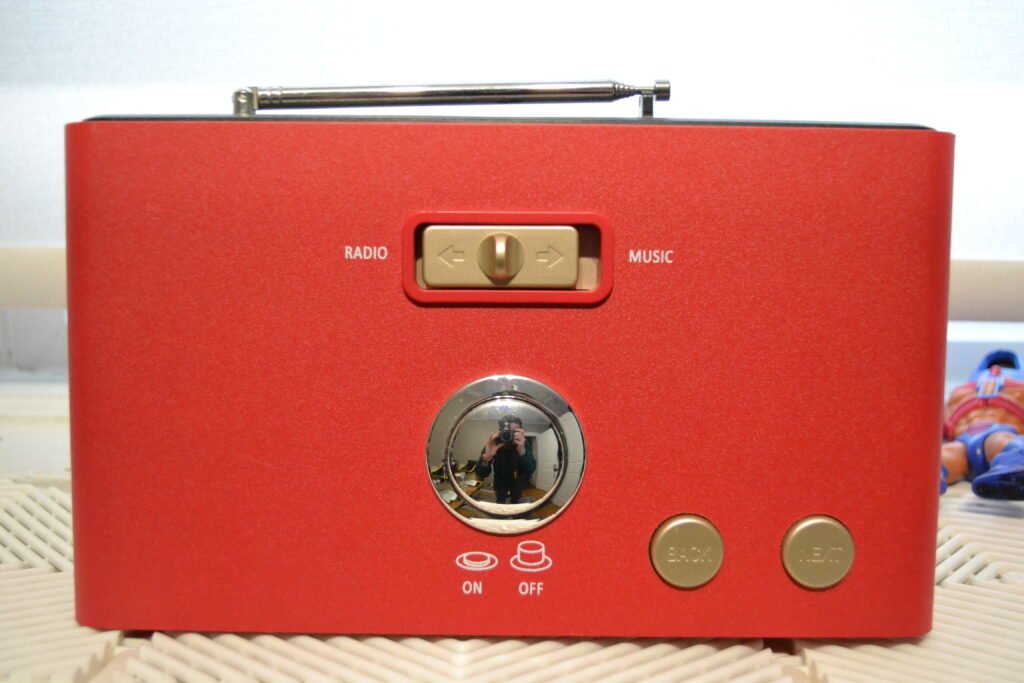
The “Hidden” Genius
The reason I kept it on my desk—and why I think it’s a productivity hack—is the Hidden Control Panel.
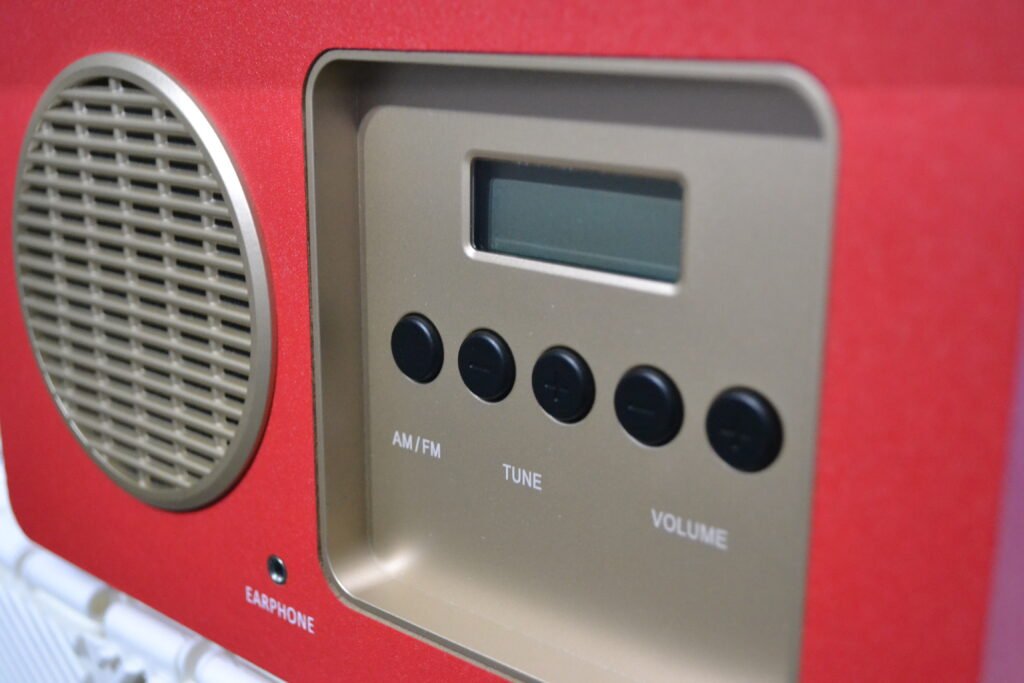
The front faceplate pops off to reveal the actual knobs: Volume, AM/FM Tuning, and Bass/Treble. You set these to your preferences, and then you snap the cover back on.
For a writer easily distracted by volume sliders and EQ settings, this is a dream. I set the volume to “Background Level,” tuned it to my local rock station (sadly, there are few), and put the cover back. Now, I physically cannot waste time adjusting it without some effort. It is binary: Sound or Silence.
The Joy of Terrestrial Radio
I know what you’re thinking: Why would I listen to FM radio in 2026? The ads are annoying and the playlists are repetitive.
That’s exactly the point. Modern streaming algorithms trap you in a world of confirmation bias, songs you already like. Tuning into local radio on the SMPL might surprise you.
Yes, you hear the occasional (OK, more than occasional) cheesy car dealership ad. But you also hear the local weather, the traffic report for roads you actually drive on, and the voice of a human DJ in your own city. Streaming services make you a citizen of the Internet; this radio makes you a citizen of your town. That “local flair” grounds you in the real world in a way a Spotify Daily Mix never will.
How to Load Music: The FAT32 Requirement
Mine was missing the proprietary-looking USB stick. Good news: It’s not proprietary. I plugged in a generic 4GB SanDisk drive loaded with my Forgotten Songs of the 00s playlist.
Because there is no shuffle, I had to curate the playlist order manually on my laptop (naming files 01_Track, 02_Track). This added a layer of intentionality I didn’t expect. I wasn’t just throwing 600 songs at it; I was building a mixtape.
The Hunt: Buying Medical Tech at Thrift Stores
You likely won’t search for “SMPL Radio” specifically, but you should look for this category of tech.
- Look for “High Contrast” Colors: Devices made for seniors often come in bright Red, Blue, or Green to aid visibility. If you see a bright red gadget that looks “simple,” check the brand.
- Check the “Medical” Section: Sometimes these aren’t in Electronics; they are placed near canes and shower chairs because Goodwill categorizes them as “Health Aids.”
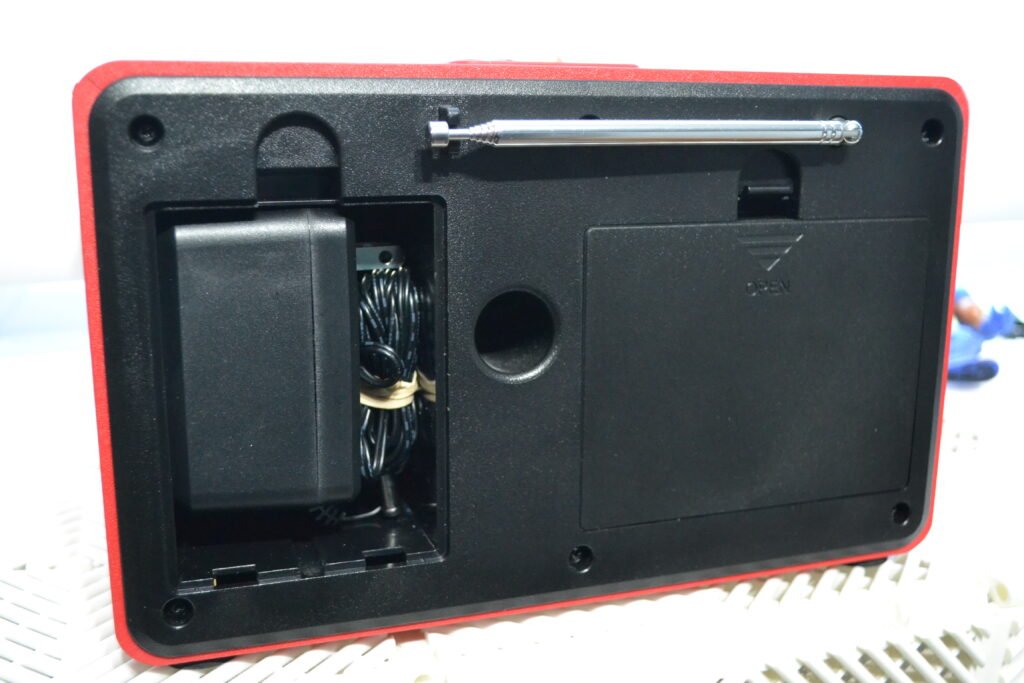
- Don’t Fear Missing Parts: Like my USB stick, the accessories for these devices are often standard. Power cords are usually standard DC barrels or just C-batteries.
Who This Is Perfect For
Who Should Buy This
• Writers who need background sound without temptation
• Remote workers tired of Spotify rabbit holes
• People attempting digital minimalism
• Parents creating distraction-free homework spaces
• Anyone experimenting with “slow tech”
Pros & Cons
- Pro: The “Hidden Control Panel” is genius. You set the volume and station once, then cover the buttons. It forces you to stop fiddling.
- Pro: The “Next” button is massive. It feels satisfying to smack it to skip a track.
- Pro: It runs on AC power or 6 C-cell batteries, making it a portable “doom-free” boombox.
- Con: No “Shuffle” mode. It plays files in the exact order you load them onto the USB stick (designed for structure, annoying for casual listening).
- Con: The sound quality is “Audiobook Clear,” not “Audiophile Rich.” It emphasizes vocals over bass.
I didn’t set out to buy a radio designed for dementia patients. I set out to spend five bucks on something that looked funky.
What I got was a lesson in intentional design, the kind where every choice is a subtraction, not an addition. No app. No updates. No notifications. Just a red box that plays sound when you press the button.
It’s been on my desk for three months now. I’ve adjusted nothing.
That’s the point.
If you see one at Goodwill, grab it. If you don’t, at least ask yourself: What would your workspace look like if half your tools had hidden control panels? What could you get done if “fiddling” was minimized?
Sometimes the best productivity hack is a device that refuses to let you be productive with it.
Frequently Asked Questions
Does the SMPL Radio have a headphone jack? Yes. It features a standard 3.5mm jack on the side, though plugging in headphones typically disables the main speaker.
Why is the SMPL Radio so expensive? Because it is a medical device. You are paying for durable engineering and cognitive accessibility features designed for seniors, not audiophile sound quality.
Can I use a 64GB or 128GB USB stick? No. The device is limited to 32GB maximum. It requires the older FAT32 file format, which many large modern drives do not use by default.