Updated November 14, 2026
I admit it. I fell down the rabbit hole.
I wasn’t just looking for a camera. I was hunting for the secret sauce that has made a recent comeback: the CCD sensor.
For the uninitiated, CCD sensors are the tech world’s equivalent of vinyl records. They render colors in a way that feels thick, warm, and distinctly not like a smartphone. But finding one in 2025 usually means buying a bulky brick that requires its own carrying case.
I didn’t want a project. I wanted something I could slide into my pocket or hang from my bag.
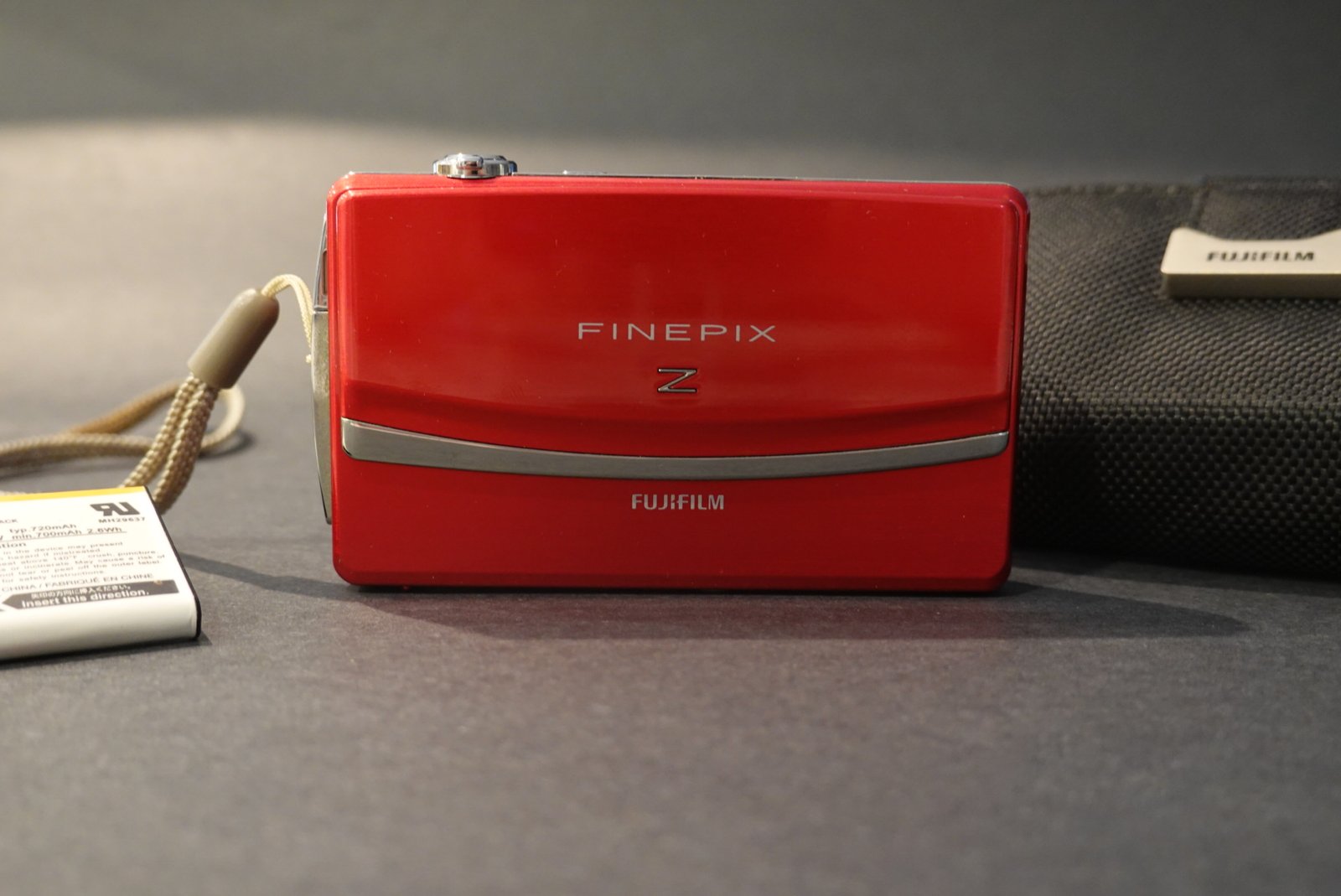
I stumbled onto the FinePix Z90 on eBay late one night. It was sitting in that awkward teenage phase of technology—released in 2011, right when cameras were desperately trying to be smartphones. It had a touchscreen. It had a sliding lens cover. It looked like a prop from a Y2K sci-fi movie that got the future slightly wrong.
I hit “Buy It Now” before I could talk myself out of it.
Fujifilm FinePix Z90 Specs at a Glance
| Feature | Fujifilm FinePix Z90 |
|---|---|
| Released | 2011 |
| Original retail price | $169.95 |
| Sensor | 14.2MP, 1/2.3-inch CCD |
| Zoom | 5x optical (28–140mm equivalent) |
| Screen | 3-inch touchscreen |
| Video | 720p HD at 30fps |
| Storage | SD / SDHC / SDXC |
| Battery | Rechargeable NP-45A |
| Wireless connectivity | None. Not even a little. |
| What I paid | $69.52 for the camera |
| Accessories | $20.63 for a charger and spare batteries |
| Total investment | $90.15 |
| Distraction level | 5%. And I’m being generous. |
On paper, these specifications weren’t revolutionary even in 2011. Fifteen years later, they’re practically prehistoric.
But there’s something refreshing about a camera that does one thing, fits in your pocket, and doesn’t require an account, an app, or a monthly subscription.
Is the Fujifilm FinePix Z90 Still Worth Buying in 2026?
Short answer? Yes. But don’t expect miracles from a 15-year-old digital camera.
Released in 2011, the Fujifilm FinePix Z90 packs a 14.2-megapixel CCD sensor, 5x optical zoom, a 3-inch touchscreen, and a sliding metal lens cover into something that comfortably fits in your pocket.
It doesn’t have Wi-Fi. It doesn’t shoot 4K video. And taking photos indoors can be an exercise in disappointment.
But that’s not why I bought it.
I paid $69.52 for mine on eBay, then another $20.63 for a charger and spare batteries. Total investment: $90.15.
For that money, I got a camera that takes surprisingly enjoyable photos in decent light, produces wonderfully gritty black-and-white images, and makes taking a picture feel like an actual activity again.
If you’re after the early-2010s digicam look, the Z90 is a solid option. Just understand that you’re buying an experience as much as a camera.
And maybe that’s the point.
Fujifilm FinePix Z90 Specs & Build Quality
When it arrived, the first thing I noticed was the ritual.
There is no power button. You slide the massive metal lens cover down, and the device wakes up. Clack.
It is incredibly satisfying. A physical commitment to the moment.
The lens is a “periscope” style zoom (28-140mm) that never pokes out of the body, which keeps the whole package slim enough to slip into your pants pocket. A nice, large 3-inch LCD touchscreen controls almost everything. It feels like an alternate timeline where the iPhone never won, and we all just kept using resistive touch screens.
Another win for the ‘New Vintage’ category: Unlike its older cousins that throw a fit if you feed them anything larger than a 2GB memory card, the Z90 accepts modern SDXC cards. I tossed in a spare 64GB SanDisk I had lying around, and the counter basically said ‘Infinity.’ You will run out of battery long before you run out of space.
Image Quality & Performance
Using a 15-year-old touchscreen camera is…a lesson in patience. But that’s the point, right?
The “New” Vintage: Because this is a late-era digicam, it has features that actually help. “Touch & Shoot” allows me to tap the screen to focus and fire. It bridges the gap between my brain’s smartphone training and the camera’s slow hardware.
The Black & White Hack: Here is the killer feature: The monochrome mode on this CCD sensor is filthy (in a good way). The images have a crunch and contrast that feels journalistic straight out of the camera.
I tested this on Mini, our rescue Shiba Inu. She is usually a reluctant model, but the Z90 seemed to put her at ease. The fur texture? Incredible. 🙂



The 720p Time Machine: The video quality is technically “High Def” (720p), but it’s 2011 High Def. It’s soft, slightly washed out, and looks exactly like a memory should look. It won’t win any awards on a 4K TV, but for capturing a mood? It’s perfect.
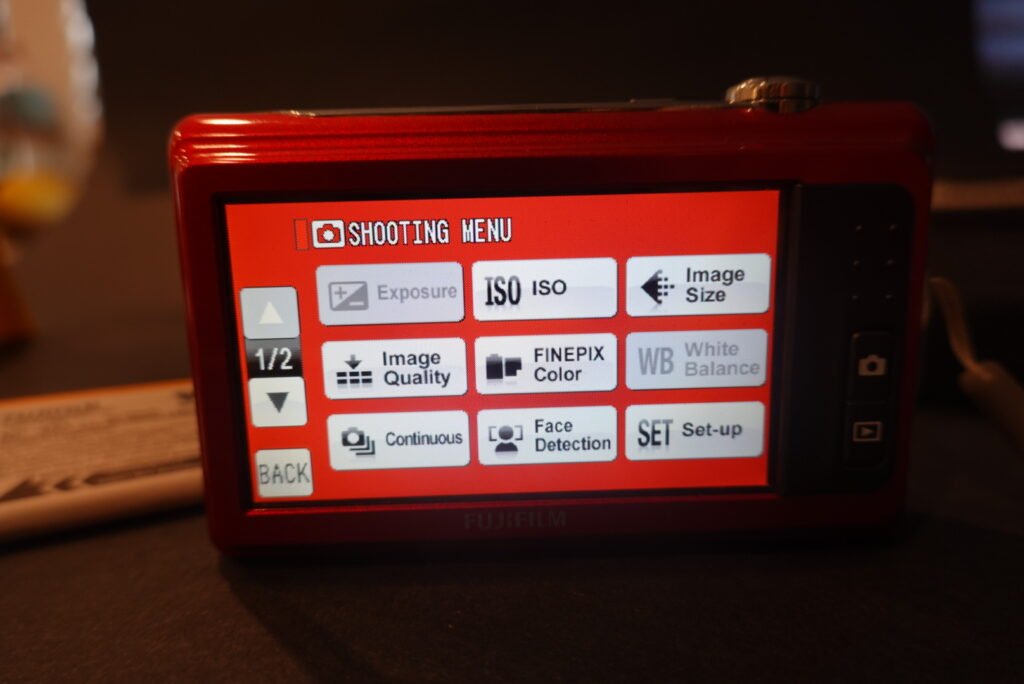
The Distortion Trick: At its widest setting (28mm), the Z90 suffers from what the pros call “barrel distortion” and what I call “making the room look bendy.” But I found a workaround. The camera has built-in editing tools that let you dial in distortion correction after the shot.
It’s a bit of menu-diving, but it forces me to stop and review the photo right there on the device. I’m not just snapping; I’m developing.
There are also a few cool menu options like the ability to compare two photos side-by-side, tap anywhere on the screen to instantly focus and capture a photo at that spot and “Touch & Track,” where you tap on the screen and it locks the focus on your selected point and maintains that focus even as you reposition the camera or your subject moves around.
Impact on Attention & Creative Workflow
The biggest difference between shooting with the Z90 and an iPhone isn’t just fewer megapixels; it’s the intent. Since it’s 95% designed to be a “Capture-Only” device, my attention is where it should be: on light and composition. I am forced to be in the moment I am documenting, and that’s more important than we all realize. The constraints of the CCD sensor (it hates low light, it’s slow) force me to be deliberate. I have to stop, frame, and commit. It turns photography back into a creative choice rather than non-stop shutter tapping.
Buying a Used Fujifilm FinePix Z90? Check These Things First.
If you’re hunting for a Z90 on eBay, Mercari, or wherever forgotten technology goes to find a second life, here’s what I’d look for.
- The sliding lens cover: This is essentially your power switch. Make sure it opens smoothly and actually turns the camera on. A beautiful camera that won’t wake up is just a very small paperweight.
- The touchscreen: Almost everything runs through that 3-inch display. Ask the seller to demonstrate that it responds properly. This isn’t a device where you can simply ignore a broken touchscreen.
- The battery and charger: The Z90 uses an NP-45A rechargeable battery. Check whether the charger is included and budget for a replacement battery if necessary. Remember, mine required another $20.63 in accessories.
- The lens, zoom, and flash: Ask for a few recent sample photos, preferably including one taken with the flash. Make sure the optical zoom operates properly and there aren’t mysterious spots showing up in every picture.
- The memory card: One advantage of this camera is SDXC support. I successfully used a 64GB SanDisk card, which is more storage than this thing realistically needs. Still, test your particular card rather than assuming every modern card will work.
I’d also look for a listing that says more than “powers on.” Ideally, the seller should confirm that the camera actually takes and saves photos.
There’s a difference between a working digital camera and one that lights up long enough to disappoint you.
My buying advice: Don’t get too caught up chasing a perfectly pristine example. A few scratches are fine. A working touchscreen, healthy battery, and functioning lens are far more important.
You’re buying a camera to use, not something to display behind velvet ropes.
The Verdict
Total Investment: $90.15
Unit: $69.52 (eBay, came with a case and the original battery).
Logistics: $20.63 (Amazon, for a charger and two spare batteries because 2011 batteries are tired).
Pros: Satisfying sliding lens cover, “filthy” good B&W mode, pocketable size.
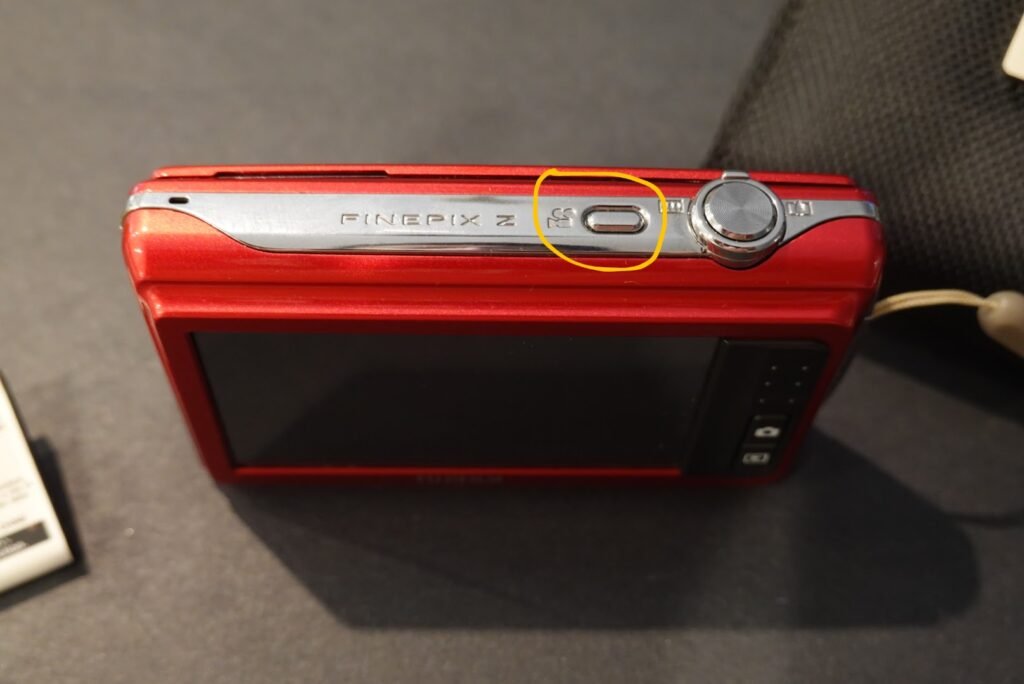
Cons: Video button placement is a disaster, no Wi-Fi, proprietary battery.
Is it worth it?
Yes.
The Z90 is a paradox. It has a touchscreen, which usually invites distraction. But because the software is a walled garden—no apps, no Wi-Fi, no “Like” button—the screen is purely a tool for navigation and composition.
It forces me to look at the world to frame it, then slide the cover shut to put it away. My teenage son rolled his eyes when I showed him the slide that covers the lens, but at least he knows I’m actually looking at him, not a notification: and that’s the mission.
System Note: Be careful with the video button on the top plate. It sits exactly where your finger expects the shutter to be. You will assume it’s the power button 99% of the time.
Common Questions about the Fujifilm Z90
When was the Fujifilm FinePix Z90 released? The Z90 was released in January 2011. It features a 14-megapixel CCD sensor, which is highly sought after today for its “film-like” color rendering.
Does the Fujifilm Z90 take SD cards? Yes. Unlike many older digicams that are limited to 2GB, the Z90 supports SDXC cards, meaning you can use modern 64GB or 128GB cards without issues.
What battery does the FinePix Z90 use? It uses the NP-45A lithium-ion battery. These are still widely available online for under $10.
Does the Fujifilm FinePix Z90 have Wi-Fi?
Nope. No Wi-Fi, no Bluetooth, and no companion app demanding access to your contacts.
To get your photos onto a computer, you can use a compatible USB cable or remove the memory card and use a card reader.
A bit less convenient than AirDrop? Sure.
But that’s kind of the attraction.
Is the Fujifilm FinePix Z90 good for low-light photography?
Not particularly.
The Z90 uses a small CCD sensor, and low-light photography is not its strong suit. Push the ISO too high and things can get noisy pretty quickly.
For outdoor photography, especially in decent sunlight, it can produce some genuinely enjoyable results. Indoors, you’ll want good lighting or the built-in flash.
If you’re expecting modern smartphone performance after dark, prepare to be disappointed.
If you’re after that slightly imperfect 2011 digicam look?
You might be pleasantly surprised.
Device Logs are independent and 100% my opinion and experience. If you buy through our links, we may earn a small commission to keep the system running.

Drew G. Rosen is a New York-based writer and marketing executive. As an advocate for “Ping Minimalism,” he buys, tests, and occasionally resurrects vintage gadgets, distraction-free writing tools, and forgotten technology to see whether yesterday’s devices still have a place in today’s always-connected world. Sometimes, the old stuff really is better.